A product of TwinStance Solutions LLP built in India for logistics, supply chain visibility, fleet coordination, warehouse intelligence, and disconnected operations
www.wyntiq.com

Security built around offline logistics reality.

WyntIQ is designed for teams that cannot assume stable internet, perfect device control, or simple office workflows. The security model focuses on local-first operation, controlled roles, signed activation, traceable actions, backups, update verification, and deployment discipline.

Why choose WyntIQ for controlled logistics?

WyntIQ is not trying to replace every ERP or BI tool. It is built for field logistics, inventory movement, QR checks, approvals, audit trails, and operations that must keep working when connectivity becomes weak or unavailable.

OFF

Local-first control

Core work happens locally on the Windows device. Users can raise requests, check stock, scan QR codes, record movement, and preserve audit history without waiting for cloud access.

AUD

Accountability by design

Actions are tied to users, roles, timestamps, inventory, demands, assets, and audit records. The goal is clear responsibility, not anonymous spreadsheet edits.

FIT

Deployment flexibility

Use WyntIQ for a laptop pilot, controlled site, warehouse, remote depot, or larger customer environment with server database and sync planning.

Protection is layered, not dependent on one control.

No single feature makes a product secure. WyntIQ combines application hardening, role control, local data handling, activation control, audit trails, and operational procedures.
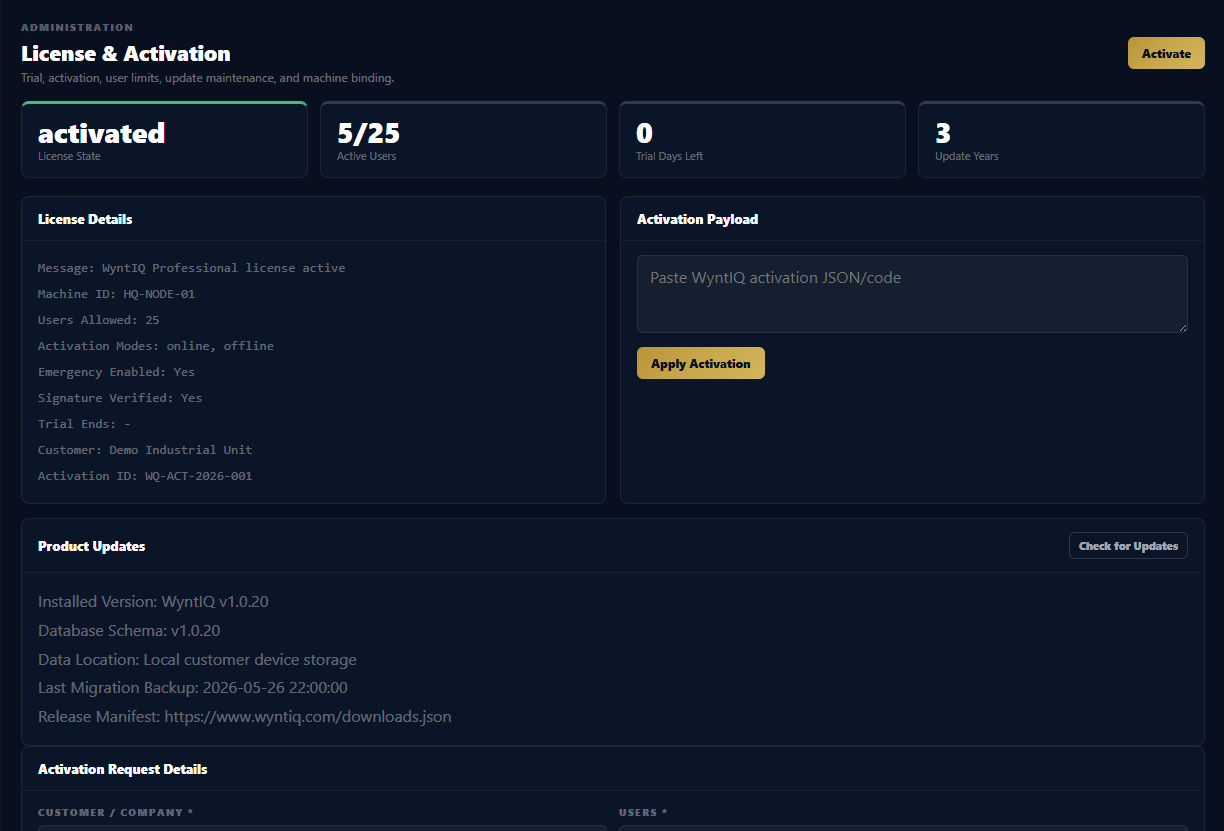
WyntIQ license and activation screen

Signed activation

License and demo controls use activation checks, machine identity, expiry rules, and signed/verified activation workflows.
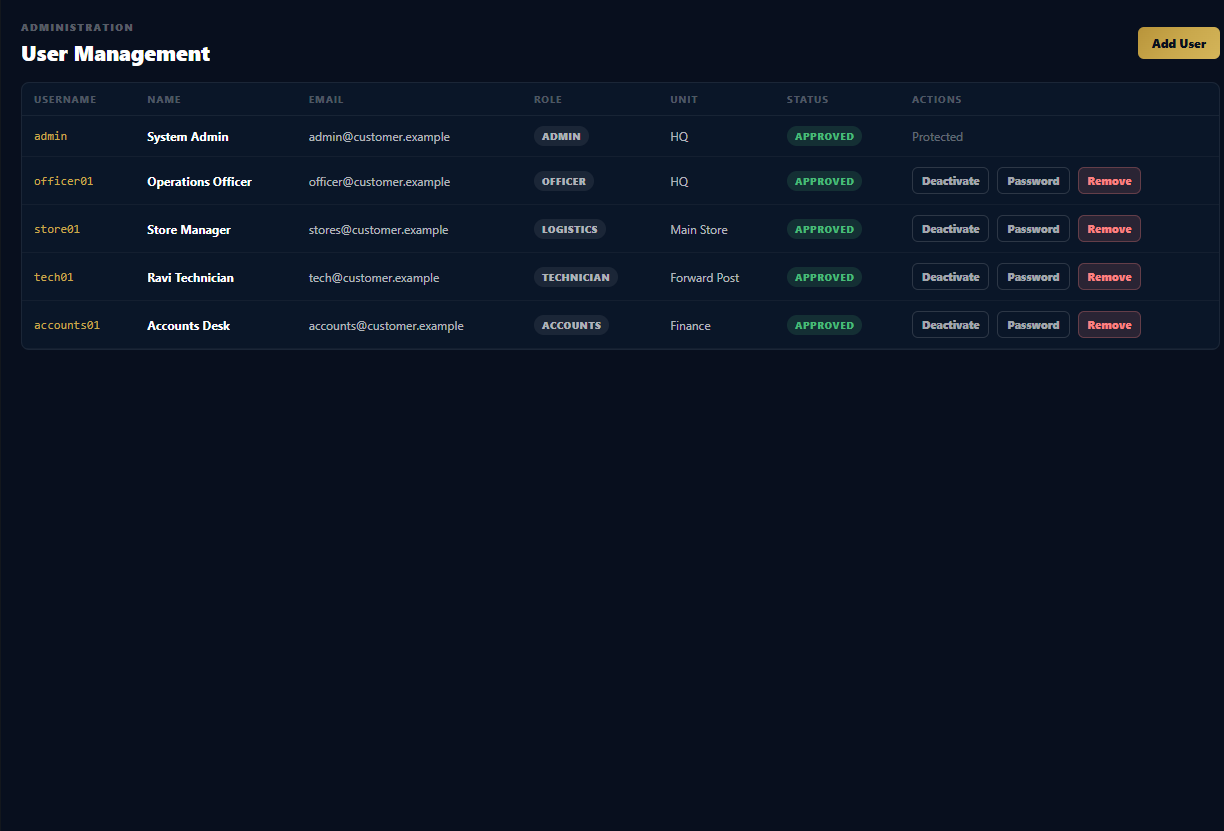
WyntIQ users and roles screen

Role-based access

Technician, officer, logistics, accounts, vendor, emergency, and admin roles are separated by workflow responsibility.
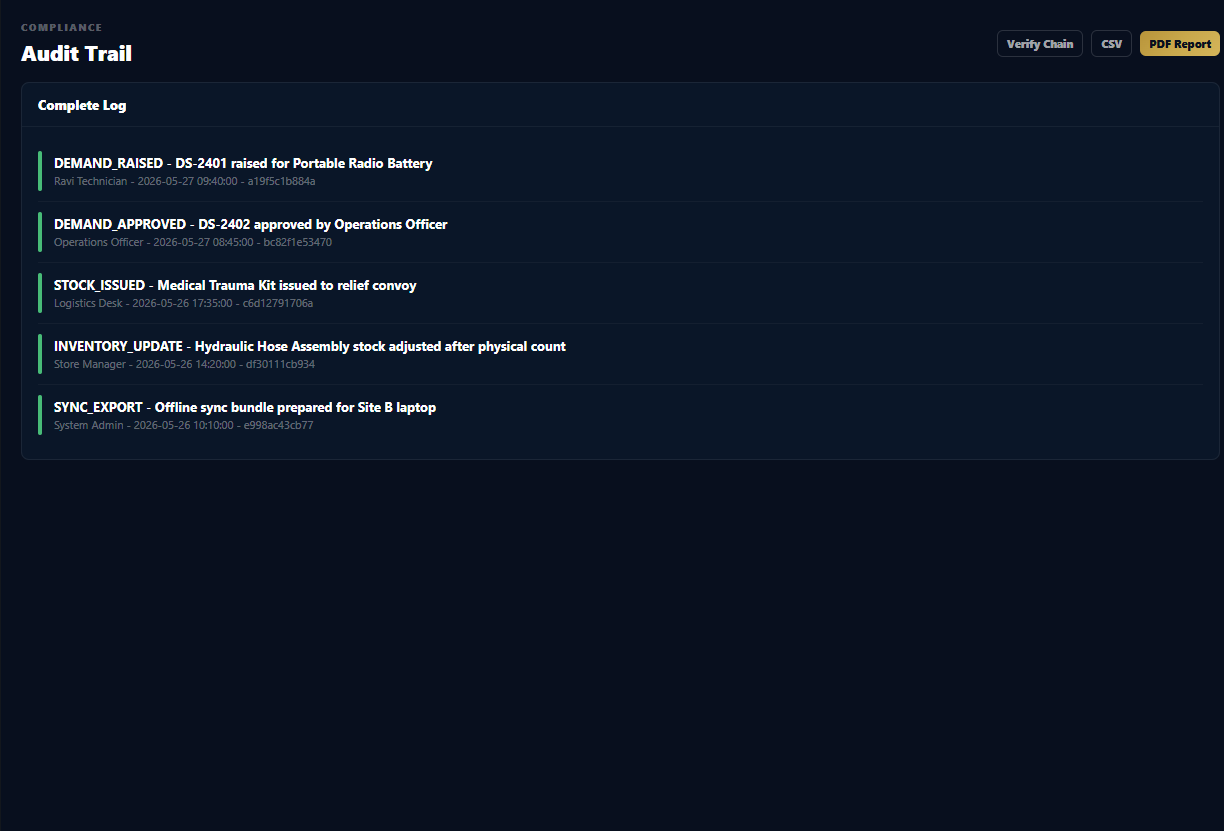
WyntIQ audit trail screen

Hash-chain audit trail

Audit records are linked by hashes so tampering can be detected during verification.
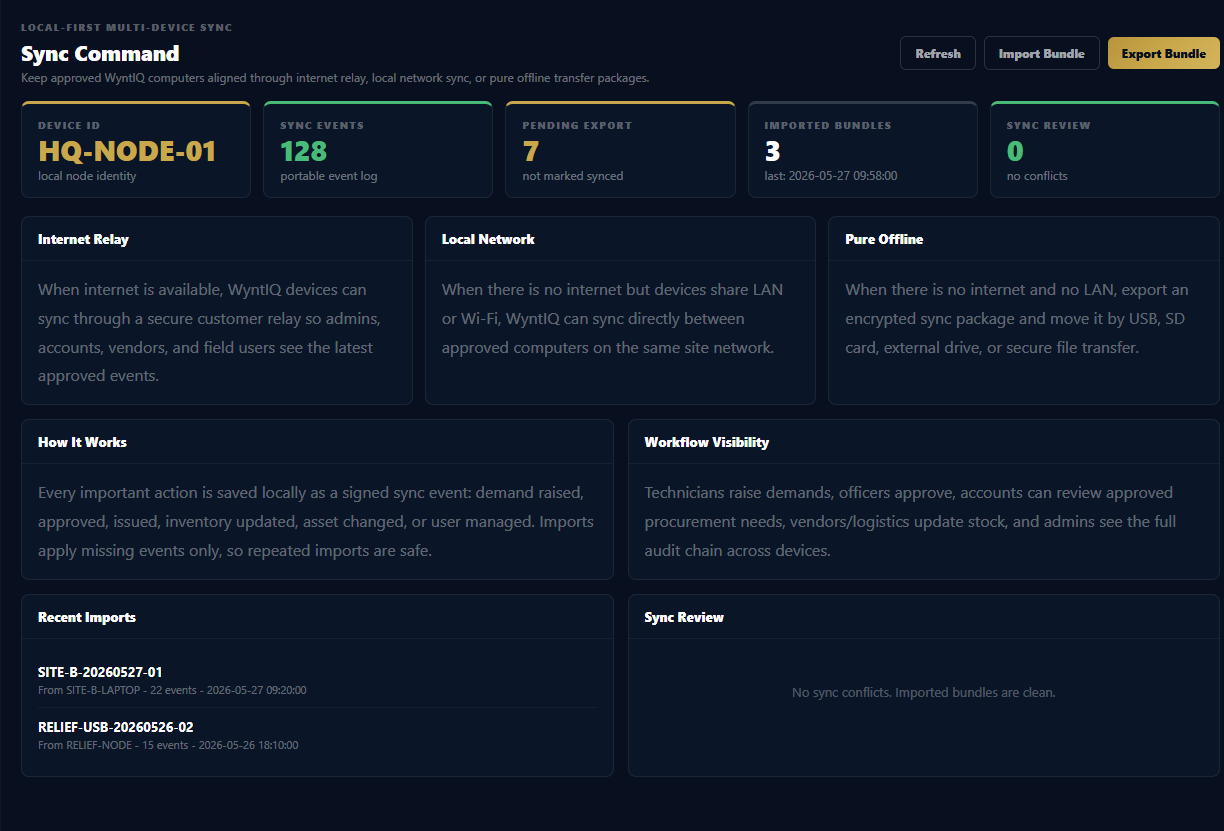
WyntIQ offline sync and data safety screen

Backup and sync safety

Admins can back up local data and move approved offline bundles through controlled paths.

What WyntIQ protects today.

These controls are implemented in the desktop product or available as part of deployment planning. Customer-specific infrastructure controls can be added during rollout.

AreaCurrent WyntIQ ControlWhy It Matters
LoginFirst-admin setup, role selection, bcrypt password hashing, stricter password policy, active/inactive user state.Prevents shared default accounts from becoming the normal customer workflow.
RolesBackend role checks for demands, approvals, stock movement, accounts, user management, backups, and admin actions.Users cannot simply reveal hidden UI and perform restricted actions.
ActivationMachine ID, signed activation payloads, trial expiry, demo reactivation guard, and user-limit enforcement.Helps protect commercial licensing and prevents repeated demo reuse on the same computer.
AuditHash-chained audit records with verification and audit package export.Gives managers a way to detect broken or altered historical records.
Email secretsSaved SMTP/app passwords use Electron safe storage where available and are not returned to the renderer.Reduces exposure of mail credentials after setup.
UpdatesRelease manifest includes version, file name, SHA-256 checksum, and download URL.Supports safer update checks and installer verification.
Renderer hardeningNode integration off, context isolation on, external navigation blocked, popup windows denied, and permissions denied except local camera scanning.Reduces the attack surface of the Electron desktop interface.
Data growthInventory uses pagination, indexes, and search-focused APIs instead of loading every item at once.Large catalogues are handled through database queries, not huge UI memory loads.

Security depends on the deployment model.

WyntIQ can support different security levels depending on the customer environment, devices, database, network, and support plan.

1

Standalone Desktop

Best for demos, pilots, small stores, and controlled laptop use. Uses local data and backup discipline.

2

Site Deployment

Multiple approved computers can use planned sync paths, local network rules, shared process control, and admin oversight.

3

Server Database Mode

For very large inventory, WyntIQ should connect to a customer-managed PostgreSQL, SQL Server, or Azure SQL environment with local cache and sync queue.

4

Controlled Environment

For high-security sites, deployment can use offline update packages, restricted users, locked devices, approved backups, and customer IT policy.

Designed to avoid the “load everything” mistake.

Very large inventories must be handled through indexes, pagination, batch imports, background jobs, and server database planning. WyntIQ’s product direction is to keep screens responsive even when the catalogue becomes large.

IDX

Indexed lookup

Part numbers, barcodes, names, categories, and locations are searched through database indexes where possible.

100

Paginated lists

Inventory screens should show controlled pages, not crores of rows in the browser at once.

BCH

Batch imports

Large CSV and database imports should run in batches with preview, validation, and rollback planning.

SQL

Server database planning

For massive customers, SQLite should act as local cache while the primary database lives on customer server infrastructure.

BKP

Backup discipline

Backups before migration, imports, and major handover operations reduce recovery risk.

TST

Stress testing

Production readiness requires large import, search, sync, backup, and restore tests before customer rollout.

What can be added for stricter customers.

Security is a continuous product track. The following controls are suitable for larger or more regulated deployments.

DBE

Database encryption

Optional encrypted database storage for customer deployments that require protected local data at rest.

MFA

Multi-factor login

Admin and sensitive roles can be extended with OTP/TOTP or customer identity provider integration.

AD

Active Directory / LDAP

Enterprise customers can use central user identity and disable local-only account management.

API

Signed sync events

Offline bundles and sync events can be signed and verified between approved devices.

ENC

Encrypted backups

Backup files can be password-protected or encrypted before transfer to USB or storage.

SOC

Security review pack

Architecture diagrams, data flow maps, threat model notes, and customer-specific hardening checklist.

Need WyntIQ reviewed by your IT or security team?

We can walk through activation, local data, backups, audit trail, deployment model, integration paths, and the security roadmap for your environment.