Technical architecture for offline-first logistics, sync planning, audit, and deployment trust
Architecture

How WyntIQ keeps logistics running offline.

WyntIQ is designed as a local-first Windows desktop product for operations where internet is unreliable, delayed, restricted, or unavailable. The architecture keeps daily work on the customer machine first, then supports controlled sync, export, backup, and integration paths when the network or deployment model allows it.

ModeOffline-first
StorageLocal DB
IdentityRoles
TraceAudit
1
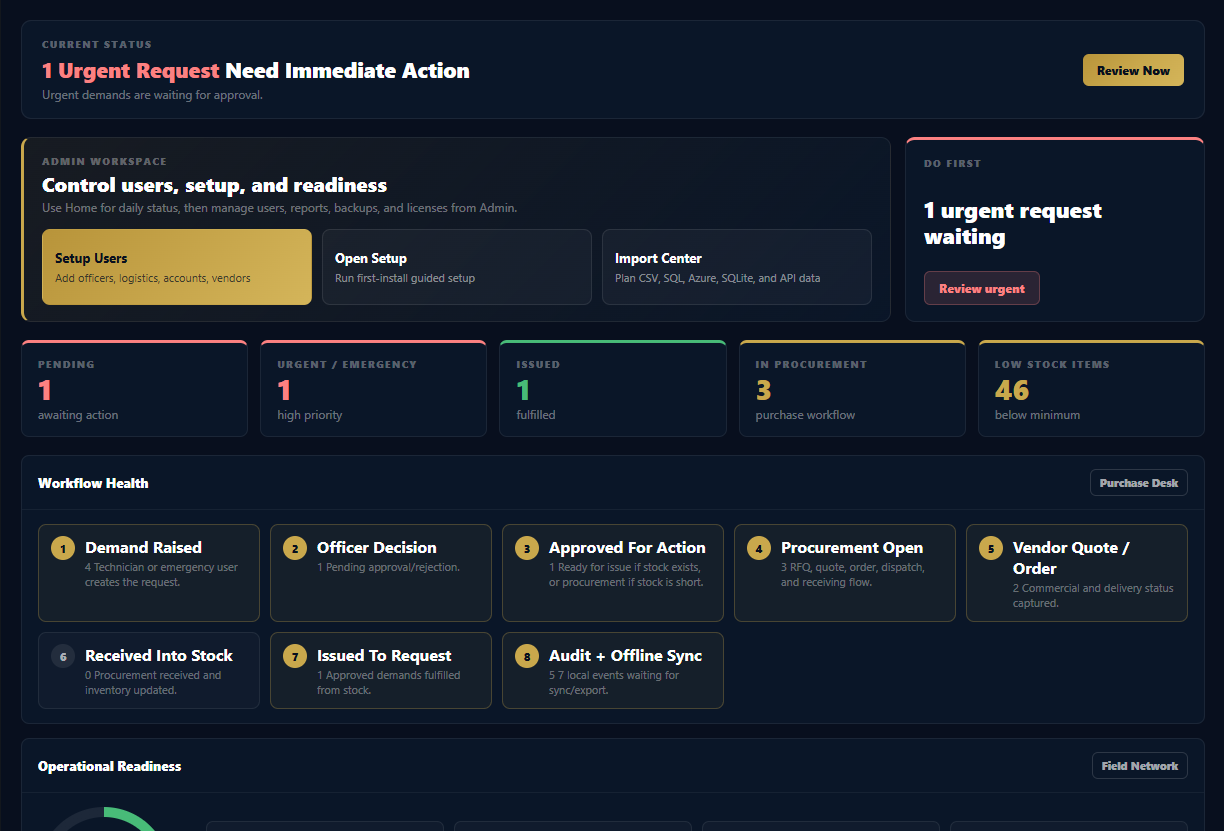
Request raisedTechnician, officer, store, or admin records an operational need locally.
2
Approval and issueRole-based decision flow moves the request to stock issue, procurement, or rejection.
3
QR and audit eventEvery movement, scan, change, and document is tied to user, role, time, and record history.
4
Backup or sync packageData can be protected locally and prepared for controlled sharing when connectivity or policy allows.

WyntIQ does not need a cloud server to start working.

The desktop application is built around local availability. Users can log in, create records, process inventory, scan QR codes, generate reports, and maintain audit history on the installed machine even when there is no internet.

Local database first

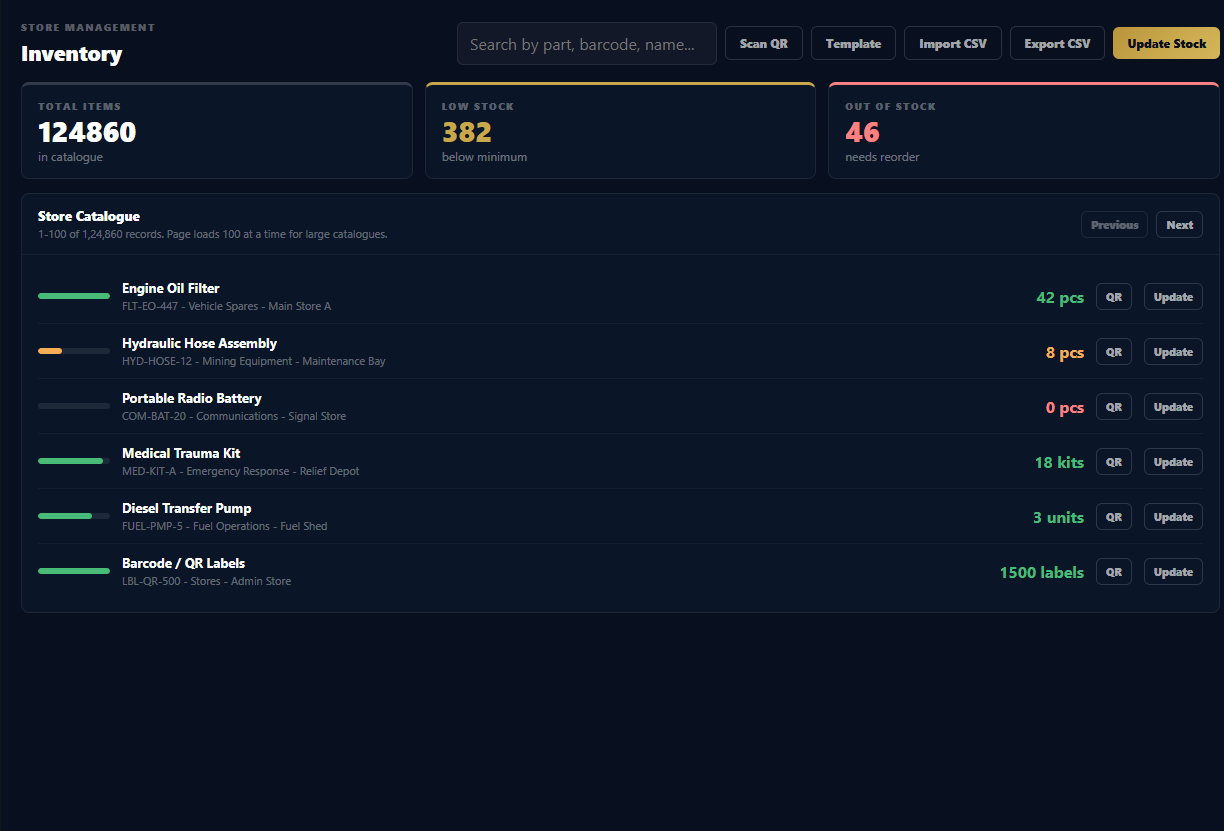
Operational records are stored on the customer device using a local database. This supports fast search, local reporting, QR workflows, and continued work during outages.

  • Inventory and asset records
  • Demand and approval events
  • Audit logs and document records
  • Mail and report history where enabled

Role-controlled workflow

WyntIQ separates operational actions by role so the right person can request, approve, issue, procure, account, or administer without exposing unnecessary controls to every user.

  • Admin and setup controls
  • Officer approvals
  • Store and logistics processing
  • Accounts and commercial review

Physical traceability

QR records connect digital data to physical items, kits, documents, assets, and requests. This helps field teams confirm the right item quickly without searching through paper trails.

  • QR label generation
  • Scan history
  • Stock and request identity
  • Audit-linked movement

Designed for delayed, controlled, and customer-approved sync.

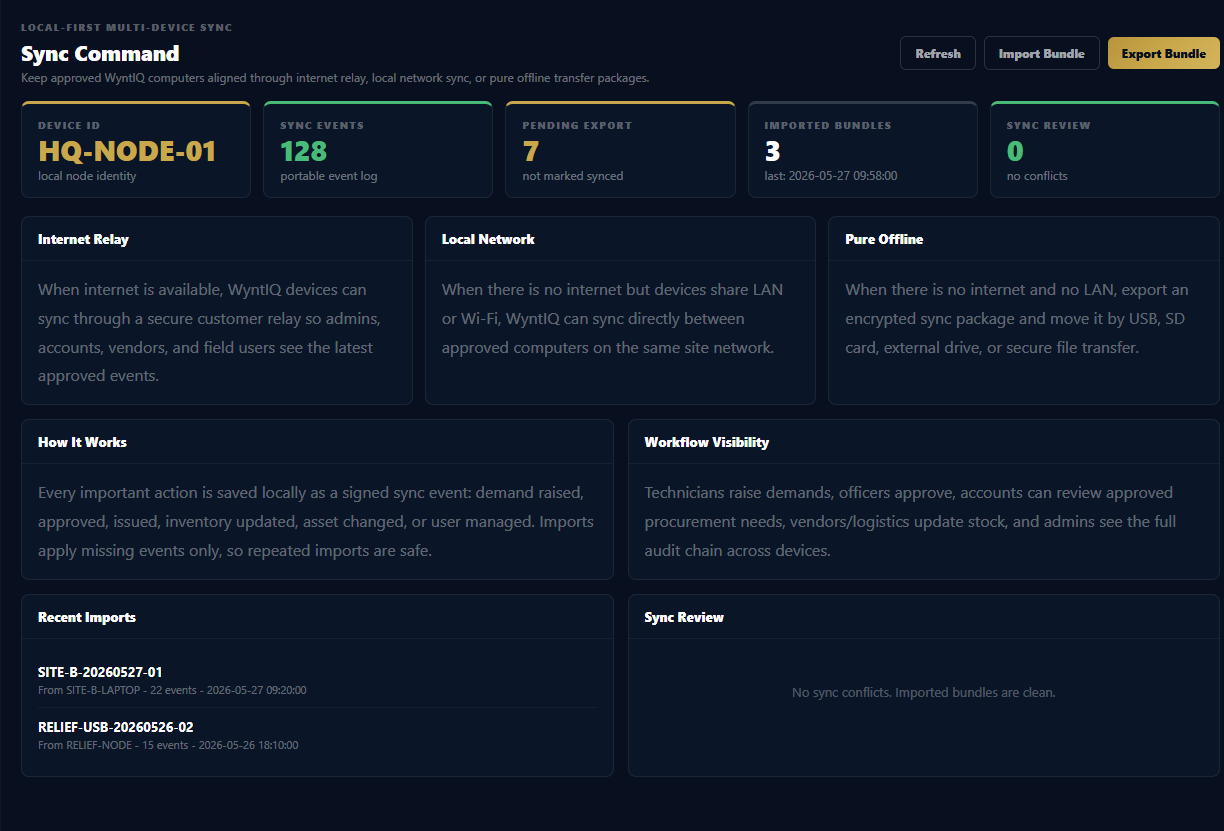
WyntIQ treats local records as the source of field activity. When multiple devices are used, sync must be designed around the customer environment: internet relay, LAN, offline file package, or a controlled customer server. The production sync policy is confirmed during deployment so data movement matches operational security requirements.

Sync should be visible, not mysterious.

For serious offline operations, users must know what has been created locally, what has been shared, what is pending, and what needs admin review. WyntIQ's roadmap keeps this as a core product pillar rather than a hidden background feature.

Event-based records

Important changes are stored as traceable events so later synchronization can compare what happened, when, and by whom.

Duplicate protection

Imported or synced records should use stable identifiers to reduce repeated imports and accidental double processing.

Conflict review

When two users change the same operational record offline, an admin-visible review path is safer than silent overwriting.

Transport options

Deployment can use internet, LAN, secure customer relay, removable media packages, or future managed sync service.

Security starts with local control and accountable records.

WyntIQ is built for controlled environments, but formal enterprise security approval depends on the final customer deployment model, policies, and infrastructure. The product is prepared for stronger hardening as pilots move into production.

AreaCurrent Product DirectionCustomer Deployment Consideration
User accessRole-based login and operational screens for admin, officer, store, accounts, vendor, and technician-style workflows.Customer should define actual roles, approval limits, and account ownership before rollout.
Passwords and activationLocal authentication and controlled online/offline activation codes for trials and paid licenses.Enterprise deployments can require stronger policy, device registration, and admin review.
Audit trailOperational actions are recorded with user, action, time, and context so managers can review what happened.For legal or defence use, audit retention, export format, and inspection workflow should be agreed in writing.
Email credentialsMail setup uses provider-based configuration and secure local credential handling where enabled by the desktop environment.Organisations should use app passwords, approved SMTP providers, or internal mail relays.
BackupsLocal backup and restore planning protects data before updates, migration, or machine replacement.Customer SOP should define daily backups, offline copy, restore test, and admin custody.

WyntIQ can start simple and integrate deeper when needed.

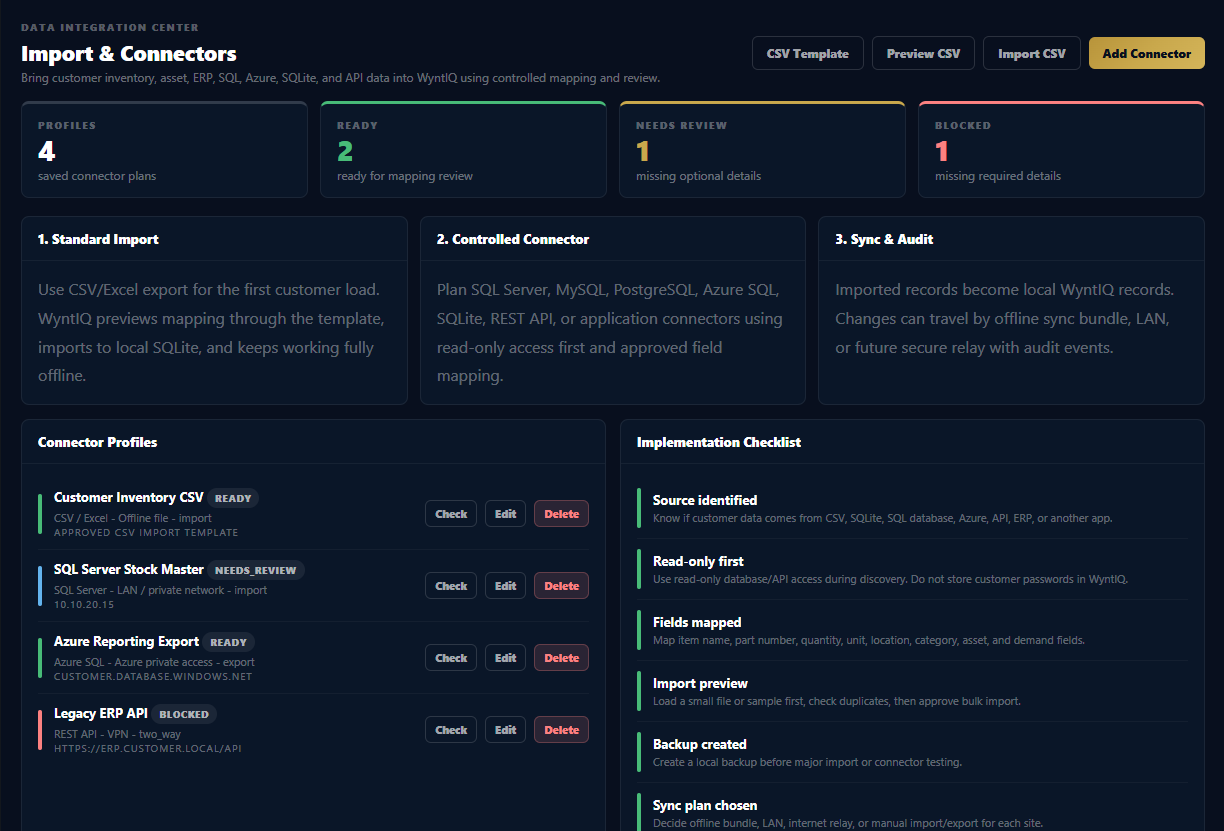
Many customers already have data in spreadsheets, SQL databases, ERP systems, Azure environments, or operational applications. WyntIQ should not force a risky migration on day one. The safest path is staged import, mapping, validation, then controlled integration.

Phase 1: File import

Start with CSV or spreadsheet imports for inventory, assets, vendors, and opening stock. This is easiest for pilot customers and keeps risk low.

Phase 2: Database mapping

Map customer SQL Server, SQLite, PostgreSQL, MySQL, or Azure SQL data fields into WyntIQ structure with read-only review before live import.

Phase 3: API and relay

For mature customers, connect approved APIs, ERP exports, or a customer relay service so WyntIQ can exchange data under IT control.

CSV importSQLite local storageSQL Server planningPostgreSQL planningMySQL planningAzure SQL planningERP export mappingREST API planning

Built for large catalogs, with production scale handled carefully.

WyntIQ is being improved for large operational catalogs: thousands, lakhs, and eventually very large item sets. Scale is not just a UI problem. It needs indexing, pagination, import validation, backup discipline, and a deployment design that matches the customer workload.

Inventory performance

Search, filters, pagination, and database indexes reduce load when item lists become large. Bulk import should validate data before it becomes operational stock.

Operational stability

Updates should keep backups, avoid destructive migrations, and preserve local customer data. Release notes are reserved for meaningful product updates and serious fixes.

Production readiness

Before a large deployment, WyntIQ should be tested with customer-like data volume, real user roles, backup restore, offline expiry, and sync conflict scenarios.

What is available now, and what should be planned for production.

Available Now

Desktop operations

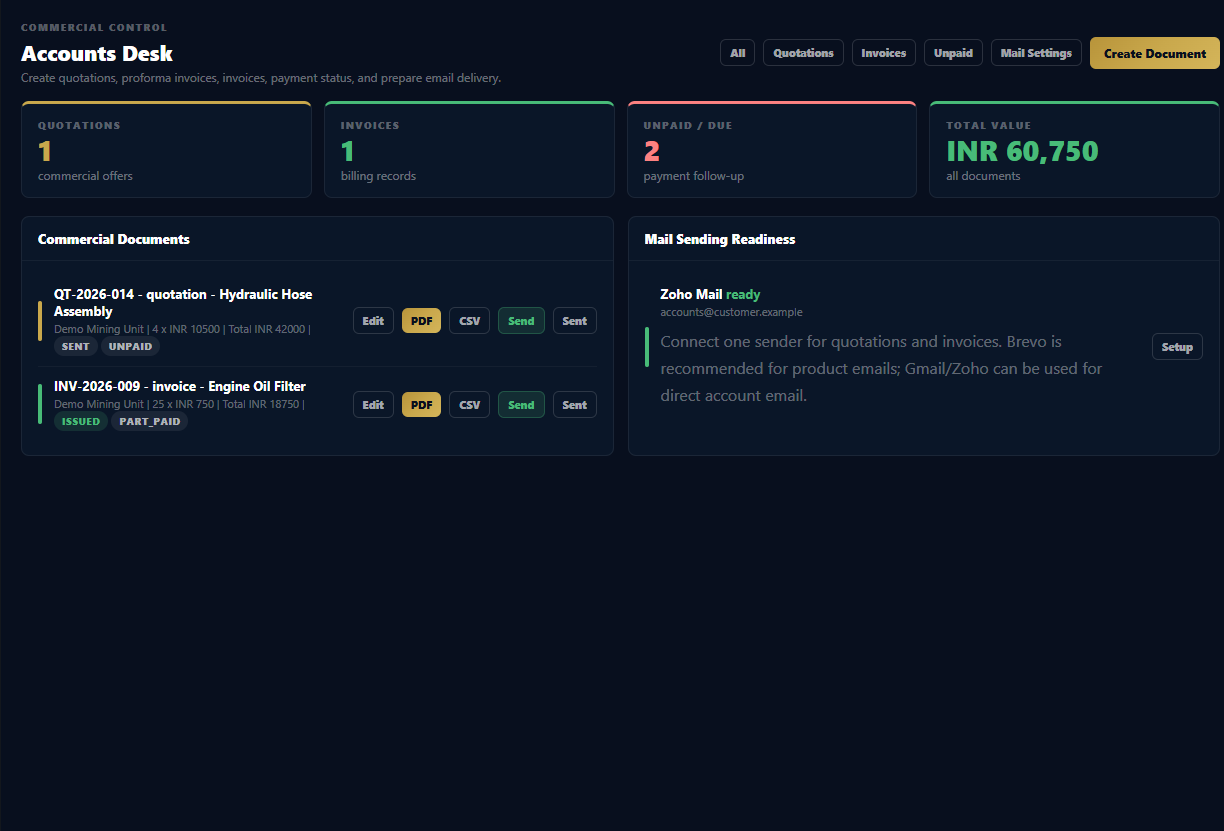
Local inventory, demands, approvals, QR workflow, reports, PDF/email workflow, activation, backup planning, accounts desk, and Windows installer delivery.

Controlled Pilot

Deployment hardening

Customer role mapping, larger data imports, field workflow tuning, backup SOP, trial-to-paid activation, and proof testing with real operational data.

Roadmap

Advanced sync and IT controls

Managed relay, LAN/offline bundle sync dashboard, device management, Active Directory or LDAP, advanced conflict review, and customer server deployment patterns.

Need a technical walkthrough before a pilot?

WyntIQ can be reviewed against your operating environment, users, databases, security requirements, backup policy, and offline workflow before you start a deployment.