Company Intelligence System

Ask your company
anything.
Instantly.

WyntIQ captures every decision ever made inside your company. Why it happened, who decided, what the context was. So when someone leaves, nothing leaves with them.

₹15L+
Avg. cost of one resignation
92%
Knowledge never documented
<30s
To get any answer with source
The problem

You have asked these questions before

"Why did we stop working with that vendor?"
The person who handled that left 6 months ago. Nobody wrote it down. You are making the same mistake again.
"Why does this system behave this way?"
The original developer is gone. The decision lived in a Slack thread from 2022 that nobody can find.
"Who is our main contact at this client?"
Your account manager resigned last month. The new hire starts next week with zero context.
WyntIQ answers all of these in seconds.
Not a chatbot. Not a documentation tool. Your company's intelligence layer, always on and always available.
How it works

Five steps. Then it runs itself.

01
Connect tools
Slack, email, Notion, Jira. 30 mins, one time.
02
AI extracts
Decisions, reasons, context automatically.
03
Structured
Linked to people, projects and dates.
04
You ask
Plain English. Clear sourced answer.
05
Handoff
Auto-generated when someone resigns.
Questions? Interested in a founding partner slot?
contact@wyntiq.com

Your company's brain starts here

Founding partner slots are limited to 3 companies. Our team will contact you within 48 hours.

No spam. No obligation. Powered by Twinstance Solutions LLP
Interactive demo

Ask your company anything

This demo connects to real AI. It uses a fictional company called Acme Tech so you can feel exactly how WyntIQ works before connecting your own workspace. Try asking any question.

WyntIQ — Acme Tech workspace
AI powered demo
W
Hello! I am WyntIQ. This is a live demo for Acme Tech, a 120-person SaaS startup in Bangalore. Ask me anything about their decisions, hires, vendors or projects. I will answer instantly with sources, exactly like your real workspace would.
Why did we hire Rahul?
Why Razorpay over Stripe?
Who owns payments?
Why was Smart Reports delayed?
What was decided in Q3?
Who is our HDFC contact?

Powered by Twinstance Solutions — This is exactly how your real workspace will work!

Ask in plain English
No special commands. Type your question naturally and WyntIQ understands immediately.
Every answer has a source
WyntIQ always tells you where the answer came from. Slack, email thread, or Notion doc with a direct link.
Under 30 seconds always
What used to take days of digging now takes seconds. Company context is always available.
How it works

Automatic. Silent. Permanent.

Your team changes nothing. WyntIQ runs silently in the background and builds your company's intelligence layer from day one.

01
One time · 30 minutes
Connect your company tools
An admin connects your existing tools in a single session. Your team does nothing at all.
Connects to: Slack · Notion · Jira · Confluence · GitHub

Email — any provider: Gmail, Outlook, or your own company domain. Works via SMTP/IMAP with Zoho Mail, Google Workspace, GoDaddy, Hostinger or any private mail server.

Coming soon: Zoom transcripts · Microsoft Teams
02
Automatic · Continuous · Silent
AI reads and extracts decisions
WyntIQ reads messages, emails, docs and tickets silently. It identifies what was decided, why, who made the call, and the broader context.
Extracts: Decisions made · Reasons behind them · Who was involved · Project context · Vendor relationships

Never captures: Personal DMs · HR-sensitive conversations · Anything outside defined work channels
03
Structured · Linked · Tagged
Knowledge is organised automatically
Every decision is tagged to the right person, project, and date. No folders. No manual work ever.
Example from one Slack message:
"Going with Razorpay over Stripe — Rahul's call — better UPI support and GST invoicing for India."

→ Decision: Razorpay · Reason: UPI + GST · Who: Rahul · Source: Slack #engineering (with link)
04
Plain English · Instant · Sourced
Ask anything. Get a clear answer.
Anyone in leadership types a question in plain English and gets an immediate sourced answer across all connected tools.
Works instantly for: "Why did we choose this vendor?" · "Who owns payments?" · "What was decided in Q3?" · "Why was this delayed?"
05
Automated · When it matters most
Someone resigns — full handoff in 30 seconds
WyntIQ auto-generates a complete structured handoff report for every resignation before they finish their notice period.
Handoff includes: All projects + status · Key decisions + why · Contacts + vendors · Open tasks

Export as: PDF · Word · Shareable link
Features

Built for founders and leadership

Not for regular employees daily. WyntIQ is the intelligence layer for people who need to know everything and cannot afford to lose anything.

01
Decision intelligence search
Ask any question in plain English. Get an instant sourced answer across Slack, email, Notion and Jira simultaneously.
02
Employee knowledge profiles
Auto-built profiles for every team member. What they own, decisions they made, key contacts. From real activity, not self-reporting.
03
Instant handoff reports
When someone resigns, generate their complete knowledge handoff in 30 seconds. Export as PDF or Word.
04
Flight risk detection
AI monitors subtle signals to flag employees considering leaving before they hand in their notice.
05
Any email provider supported
Gmail, Outlook, or your own domain. SMTP/IMAP compatible with Zoho, Google Workspace, GoDaddy, Hostinger.
Works with domain email
06
New hire fast-track
New team members search your entire decision history from day one. Onboarding cut by up to 60%.
07
Company intelligence dashboard
Live view of knowledge health. Coverage by team, gaps, high-risk employees, and recent captures.
08
Privacy by design
Employees see exactly what is captured. Personal messages never read. Admins define all boundaries.
Connects with
SlackNotionJiraConfluenceGitHubGmailOutlookAny domain emailZoom (soon)Teams (soon)
Pricing

Straightforward. No surprises.

One senior resignation costs your company ₹10 to 20 lakh. WyntIQ costs a fraction of that and stops it from happening again.

Starter
₹12,999
per month + GST
Up to 50 employees
Decision intelligence search
Employee knowledge profiles
Handoff reports
Slack + Notion + any email
Email support
Get early access
Most popular
Growth
₹29,999
per month + GST
Up to 200 employees
Everything in Starter
Jira + GitHub + Confluence
Flight risk detection
Auto handoff generation
PDF + Word export
Get early access
Enterprise
Custom
contact us
500+ employees
Everything in Growth
Custom integrations
On-premise option
Dedicated account manager
SLA guarantee
Talk to us
Annual billing: 10 months paid, 12 months access  ·  Founding partner deal: ₹40,000 for 6 months (Growth) — 3 slots only  ·  14-day free trial, no card required
Common questions
Do employees need to do anything? +
Nothing at all. Only an admin connects tools during the 30-minute setup. Employees carry on as normal.
We use our own company domain email. Will it work? +
Yes. WyntIQ connects via SMTP and IMAP and works with Zoho Mail, Google Workspace, GoDaddy, Hostinger, or any private mail server. No Gmail required.
Is this a chatbot or documentation tool? +
Neither. WyntIQ is a Company Intelligence System that captures why decisions were made, who made them, and the context. No manual input required.
What about employee privacy? +
You define which channels are indexed. Personal DMs and HR conversations are never included. Every employee can view their own profile.
Can I cancel anytime? +
Yes. Monthly plans cancel anytime. Annual plans cancel with 30 days notice.
Have a question or want a founding partner slot?
contact@wyntiq.com

Start protecting your company's intelligence

Founding partner slots are limited to 3 companies.

No spam. No obligation.
Knowledge base

How-to guides

Everything you need to get WyntIQ set up, connected, and delivering value from day one.

Getting started
Beginner
How to connect Slack to WyntIQ in 5 minutes
Step-by-step guide to connecting your Slack workspace and verifying decisions are being captured correctly.
5 min readRead guide →
Email setup
Beginner
Connecting your company domain email (non-Gmail)
How to connect Zoho Mail, Google Workspace, or any custom domain email using SMTP and IMAP settings.
7 min readRead guide →
Privacy
Important
Setting up privacy controls and channel filters
How to define exactly which channels are indexed, exclude personal DMs, and configure employee profile visibility.
6 min readRead guide →
Advanced
Intermediate
Generating a handoff report when someone resigns
How to trigger an automatic handoff report, what it includes, and how to export it as PDF or Word.
4 min readRead guide →
Search tips
Tips
How to ask better questions and get sharper answers
Best practices for phrasing your questions so you get the most precise, sourced answers every time.
5 min readRead guide →
Onboarding
Popular
Using WyntIQ to onboard new hires 60% faster
How to use company history search to help new team members get up to speed without interrupting colleagues.
5 min readRead guide →
Getting started
How to connect Slack to WyntIQ in 5 minutes
5 min read  ·  Getting started  ·  Twinstance Solutions

Connecting Slack is the single most impactful integration you can make. Most companies store 80% of their institutional knowledge in Slack messages.

Before you start

You will need admin access to your Slack workspace. If you are not a Slack admin, ask your IT team to complete this step.

Step 1 — Open WyntIQ settings

Log in to your WyntIQ dashboard and navigate to Settings → Integrations → Slack. Click the blue "Connect Slack" button.

Step 2 — Authorise the connection

You will be redirected to Slack's authorisation page. Select the workspace you want to connect and click "Allow".

Step 3 — Choose which channels to index

WyntIQ will show you a list of all channels. Best practice:

  1. Include all project and engineering channels
  2. Include leadership and decision-making channels
  3. Exclude personal DMs and HR channels
  4. Exclude social or off-topic channels

Step 4 — Verify the connection

WyntIQ processes the last 90 days of messages from selected channels in 15 to 30 minutes. You will receive an email when complete.

Start with your top 5 most important channels first. You can always add more later.

Step 5 — Test with a search

Once processing is complete, ask a question you know the answer to. If the answer appears with a Slack source link, your integration is working.

Email setup
Connecting your company domain email (non-Gmail)
7 min read  ·  Email setup  ·  Twinstance Solutions

WyntIQ works with any email provider. This guide covers connecting a custom domain email using SMTP and IMAP.

What you will need

  • Incoming mail server (IMAP) address and port
  • Outgoing mail server (SMTP) address and port
  • Your email address and password or app password

Common server settings by provider

Zoho Mail India: IMAP: imappro.zoho.in port 993 · SMTP: smtppro.zoho.in port 465

Google Workspace: IMAP: imap.gmail.com port 993 · SMTP: smtp.gmail.com port 465

Microsoft 365: IMAP: outlook.office365.com port 993 · SMTP: smtp.office365.com port 587

Hostinger: IMAP: imap.hostinger.com port 993 · SMTP: smtp.hostinger.com port 465

Connecting in WyntIQ

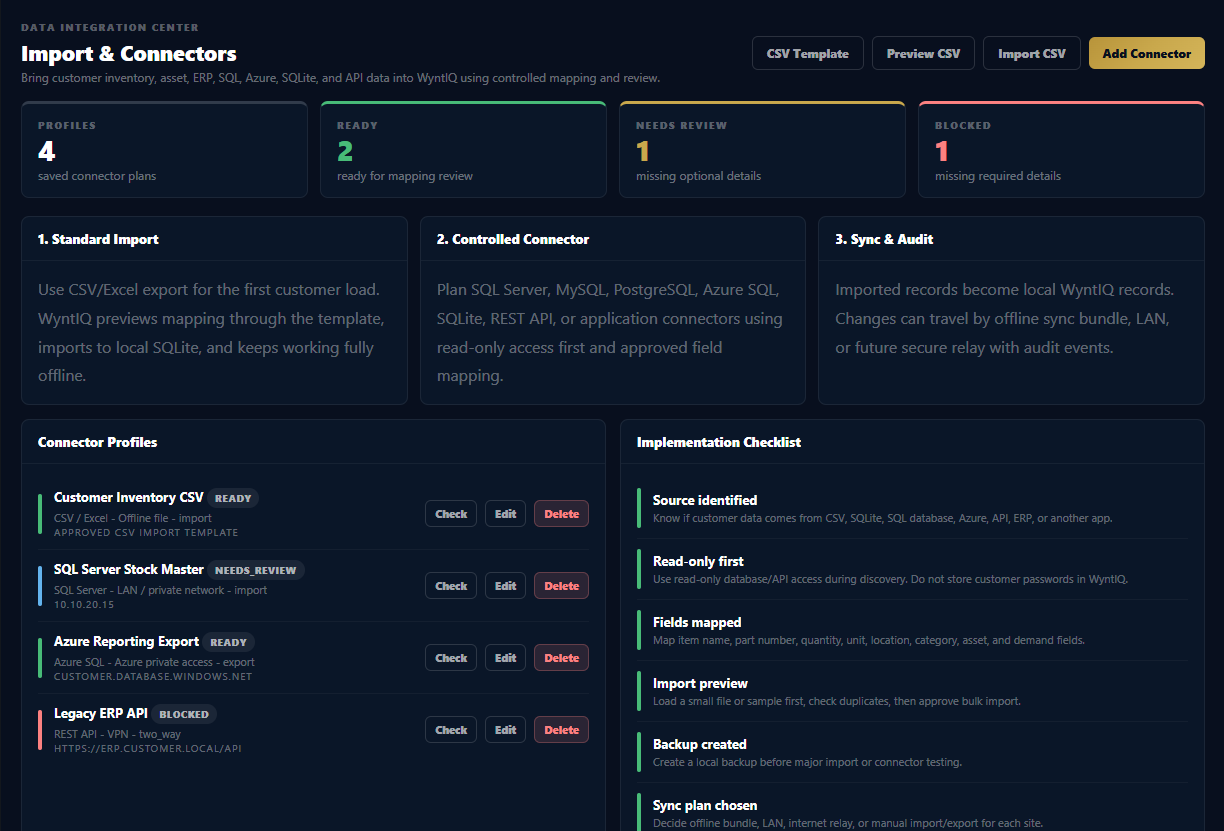
  1. Go to Settings → Integrations → Email
  2. Select "Custom domain / SMTP-IMAP"
  3. Enter your server details, email and password
  4. Click "Test connection"
  5. Save and WyntIQ starts processing your email history
If your provider requires an App Password, generate one from your email provider's security settings and use that instead of your login password.
Privacy
Setting up privacy controls and channel filters
6 min read  ·  Privacy  ·  Twinstance Solutions

WyntIQ is built with privacy at its core. As an admin, you have full control over what gets indexed.

Channel-level controls

For each connected tool, you can specify exactly which channels, folders or labels are indexed. WyntIQ never reads anything you have not explicitly included.

Employee profile visibility

Every employee has a knowledge profile. You can configure:

  • Whether employees can view their own profile
  • Which roles can view other people's profiles
  • Whether profiles are visible to new hires during onboarding

What is never indexed

  • Direct messages between individuals
  • Channels with "HR", "payroll", "salary" or "personal" in the name
  • Emails in folders labelled private or personal
Share your WyntIQ privacy policy with your team during rollout. Transparency increases adoption and trust.
Advanced
Generating a handoff report when someone resigns
4 min read  ·  Advanced  ·  Twinstance Solutions

The handoff report is WyntIQ's most powerful feature. When someone resigns, WyntIQ automatically generates a complete document of everything they know, own, and are responsible for.

Automatic trigger

If your HR system is connected, WyntIQ detects resignations automatically and generates the report within minutes. Otherwise, trigger it manually from the People section.

What the handoff report includes

  • Projects owned with current status
  • Key decisions made with the reasons why
  • Important contacts including vendors and clients
  • Open threads and pending tasks
  • Recommended handover per responsibility

Exporting the report

Go to People → [Employee name] → Generate Handoff Report. Choose PDF for sharing, Word for editing, or a shareable link.

Generate handoff reports proactively for your highest-risk employees. Do not wait for a resignation.
Search tips
How to ask better questions and get sharper answers
5 min read  ·  Search tips  ·  Twinstance Solutions

WyntIQ understands plain English, but the quality of your question directly affects the quality of your answer.

Be specific about context

Instead of "why did we change the database?" try "why did we move from MongoDB to PostgreSQL in 2023?" The more specific, the more targeted the answer.

Ask about people, not just topics

"What decisions did Rahul make about the payment system?" works better than "payment system decisions".

Use time anchors when you have them

"What was discussed in Q3 planning" is good. "What was decided in Q3 2024 planning about pricing" is better.

Best question formats

  • "Why did we choose X over Y?"
  • "Who owns [project or system]?"
  • "What was decided about [topic] in [timeframe]?"
  • "Why was [feature or project] delayed?"
  • "Who is our contact at [company or vendor]?"
If the first answer is not quite right, try rephrasing with a different detail. WyntIQ gets more accurate the longer you use it.
Onboarding
Using WyntIQ to onboard new hires 60% faster
5 min read  ·  Onboarding  ·  Twinstance Solutions

New hires spend their first weeks asking colleagues basic questions that interrupt everyone. WyntIQ eliminates most of this.

Set up a new hire onboarding workspace

Create a dedicated WyntIQ view for new joiners with read access to company history. They can search the entire decision history from day one.

Common questions new hires ask that WyntIQ answers

  • Why do we use this tech stack?
  • Who should I talk to about the [project]?
  • Why did we stop working with [vendor]?
  • What are the most important decisions made in the last year?
  • How does [system or process] work and why was it built this way?

Measuring the impact

Track how many questions new hires ask colleagues in their first 30 days before and after WyntIQ. Most companies see a 50 to 60% reduction, which means faster productivity and less disruption for the team.

Share a short "WyntIQ guide for new hires" on their first day. Show them 5 example questions. Most people are amazed by the first answer they get.